Space themed 3D graphics
Table of Contents
Back to BASIC applications collection
1. Galaxy explorer
This QBasic program renders a navigable 3D point cloud galaxy, allowing users to explore a virtual galaxy using mouse or keyboard controls. The program creates a visually engaging simulation of a galaxy with stars distributed in a spiral pattern.
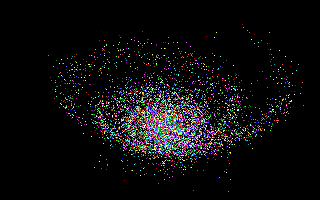
A spiral galaxy of thousands of colored points - red, green, cyan and violet stars - floats against the black void, its swirling disk clearly visible from this tilted viewpoint. The galaxy is generated as a point cloud of up to 12000 stars with per-star colors, then rotated by three angles and perspective-projected each frame. WASD keys and the TSR mouse driver fly the viewer freely through the swarm.
The camera glides through the swarm as the whole spiral galaxy wheels past: thousands of individually colored stars thicken toward the glowing core and trail off into spiral arms. The point cloud is generated once by the mkGalaxy routine with random spiral offsets, then every frame each star is rotated by the camera angles, perspective-projected and plotted with PSET. WASD keys and mouse-button drags accelerate the viewer freely through the cloud.
2. Rocket simulator
QBasic program that simulates the takeoff and flight of a rocket from the surface of a planet. This program provides a simple yet engaging 3D visualization of a rocket's journey, allowing users to navigate and observe the rocket's trajectory from various angles.
A green wireframe globe built from latitude and longitude rings fills the lower half of the screen while a small wireframe rocket climbs away from its surface, leaving a growing dotted trail behind it; diagnostic counters flicker at the top. The planet and rocket are procedural point-and-line models, and each frame integrates the rocket's velocity, appends fresh trail points, and re-projects the whole scene. Arrow keys fly the camera, 2/4/6/8 turn the view, and +/- change altitude.
3. Stars
The 3D Starfield Simulation is a QBasic program that creates a visually captivating simulation of a starfield in three dimensions. This program is designed to render stars moving in space, giving the illusion of flying through a galaxy.
How the Program Works:
- Camera Rotation
- The camera's rotation is calculated to give a dynamic view of the starfield.
- Star Movement
- Each star's position is updated to simulate movement through space. Stars that get too close to the viewer are repositioned to the far distance to create an infinite starfield effect.
- Projection
- The 3D coordinates of each star are projected onto a 2D screen using perspective projection, which scales the stars based on their distance from the viewer.
- Brightness and Color
- The brightness of each star is adjusted based on its distance, with closer stars appearing brighter.
Hundreds of white stars stream outward across the screen, brightening as they approach, giving the sensation of flying through space while the view gently sways. Each star's 3D position is perspective-projected, rotated by a slowly oscillating camera angle, and nudged by sinusoidal offsets. Stars are pulled toward the viewer every frame; any star that gets too close is respawned in the far distance, and its brightness is computed as 3000/z, capped at palette color 31.
4. Universe explorer
This QBasic program that simulates a navigable 3D universe. Users can freely fly through a dynamically generated universe composed of galaxy clusters, galaxies, and stars. The program employs a clever algorithm to manage the level of detail, dynamically increasing or decreasing the complexity of the universe regions based on the user's position. This ensures a reasonable quantity of stars is rendered at any given time, optimizing performance and visual experience.
What's in it for the Reader?
- Algorithm Insight
- The program provides a practical example of dynamic level-of-detail algorithms, which can be useful for anyone interested in computer graphics, game development, or simulation programming.
- 3D Navigation
- It demonstrates how to implement a 3D navigation system using basic input devices like a mouse and keyboard, offering insights into handling user inputs for movement and interaction in a 3D space.
- Procedural Generation
- The universe is procedurally generated, showcasing how to create complex structures like galaxies and star systems algorithmically.
- Performance Optimization
- The program highlights techniques for optimizing performance in resource-intensive applications, such as limiting the number of rendered objects based on distance.
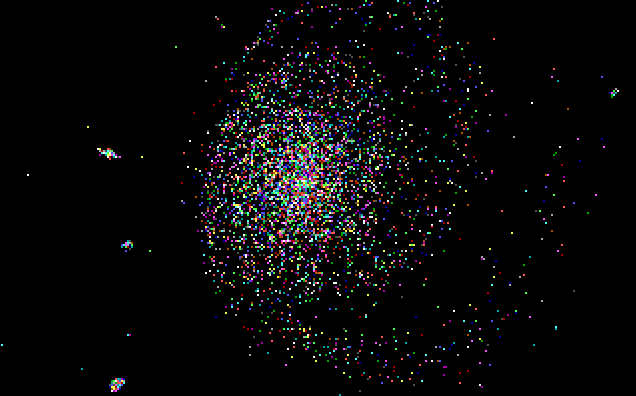
A dense, multicolored ball of stars - a whole galaxy seen from the outside - dominates the view, surrounded by the sparse specks of neighboring systems. The program builds the universe as clusters of galaxies made of individual stars, but only nearby regions are materialized at full detail; distant ones stay as coarse clouds, keeping the rendered star count within limits while the user flies freely with mouse and keyboard.
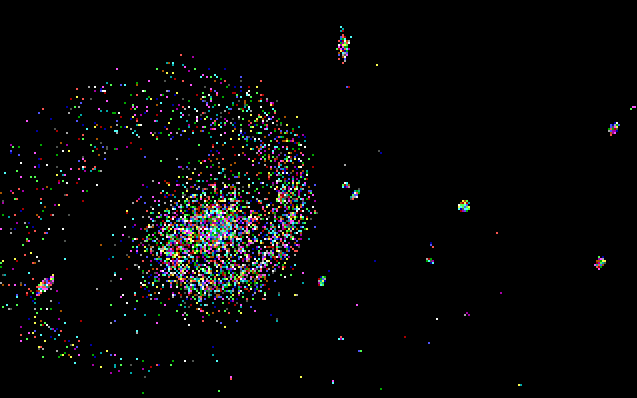
Here the camera sits inside a galaxy: stars form a luminous ring around a bright core, with colorful specks drifting past at close range. This is the level-of-detail algorithm at work - the region surrounding the viewer has been refined into thousands of individually placed and colored stars, while farther regions remain compressed into simple point clouds until approached.
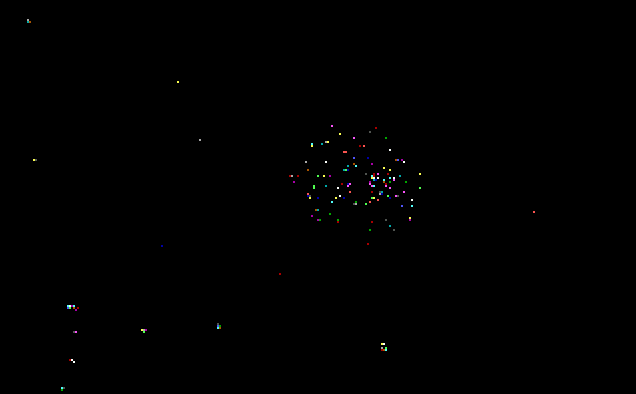
Deep intergalactic space: only a single compact star cluster and a handful of faint distant specks remain visible in the void. At this range the universe is rendered at its coarsest level - whole galaxies collapse into tiny point groups - demonstrating how the program sheds detail with distance so that even an astronomically large universe stays navigable in real time.